

Ergonomic Laptop Riser: How to Choose One That Fits Your Desk
A laptop riser lifts the screen so you do not have to look down at it all day. That helps, but only if the riser actually fits your body and your desk. A riser that is too low, too small or too wobbly can be no better than the bare laptop.
Here is how to tell an ergonomic laptop riser from an ordinary one, and what to check before you buy.
- A riser only helps if the top of the screen can reach eye level.
- You will need a separate keyboard and mouse, because a raised laptop keyboard is too high to type on.
- Look for stable construction, a firm grip on the laptop and enough height range for sitting and standing.
- Open-frame designs let air flow under the laptop.
What makes a laptop riser ergonomic?

An ergonomic riser raises the screen so the top edge sits near eye level and keeps your neck in a neutral position. A fixed riser that adds only a few inches may not be enough for tall users or deeper desks. An adjustable one lets you set the height to your own sitting or standing posture.
If you are not sure how high you need, our guide on how high a laptop stand should be explains how to find your number.
Why do you need a separate keyboard and mouse?
Once the screen is at eye level, the laptop's own keyboard is too high for comfortable typing. Use an external keyboard and mouse placed at elbow height. Without them, a riser trades neck strain for shoulder and wrist strain.
See how to set the distance between laptop stand and keyboard and the typing angle vs viewing angle guide for the details.
What size and stability should you look for?
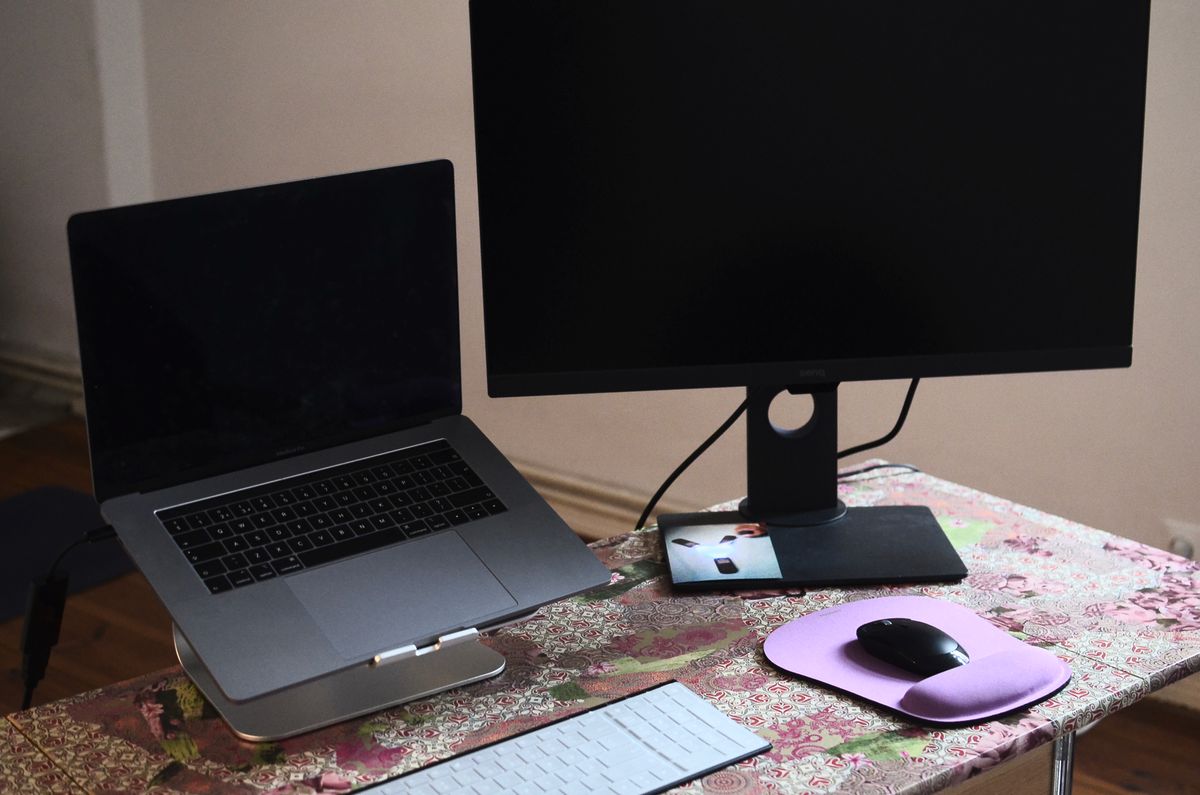
Check the supported laptop size and the footprint on your desk. The Lifelong UPRYZE Adjustable Laptop Stand raises to 20 inches, extends 13 inches, and holds devices from 10-inch tablets to 17-inch laptops. Its aluminum frame is built to stay firm at full height.
A wobbling riser defeats the purpose. If yours moves while you type, our guide on why a laptop stand wobbles lists the usual causes.
Does portability matter for a riser?
It does if you work in more than one place. A foldable design that packs flat saves bag space. The UPRYZE folds flat in one motion, and the open frame leaves room for air to move underneath the laptop during long sessions.
If your riser never leaves the desk, you can prioritize stability and a wider base over weight.
Quick checklist before you buy
Use this list to compare any riser.
- Maximum height reaches your eye level when seated or standing
- Supports your laptop's size and weight
- Stays steady when you type or touch the screen
- Leaves room for an external keyboard and mouse
- Folds or packs flat if you carry it
- Open frame for airflow
Want a riser that adjusts to your height and folds away? Compare Lifelong laptop stands with up to 20 inches of height.
Shop laptop standsFrequently Asked Questions
Is a laptop riser the same as a laptop stand?
The terms overlap. A riser usually lifts the laptop to a fixed height, while a stand may adjust in height and angle. For ergonomics, an adjustable one is easier to fit to your body.
Do I need an external keyboard with a riser?
Yes. Raising the laptop to eye level puts its keyboard too high for comfortable typing, so use a separate keyboard and mouse.
What laptop sizes does the UPRYZE stand support?
It holds devices from 10-inch tablets up to 17-inch laptops, including MacBook Air and MacBook Pro models.
Can a riser help with overheating?
An open-frame design lets air flow under the laptop, which can help manage heat during long sessions.