


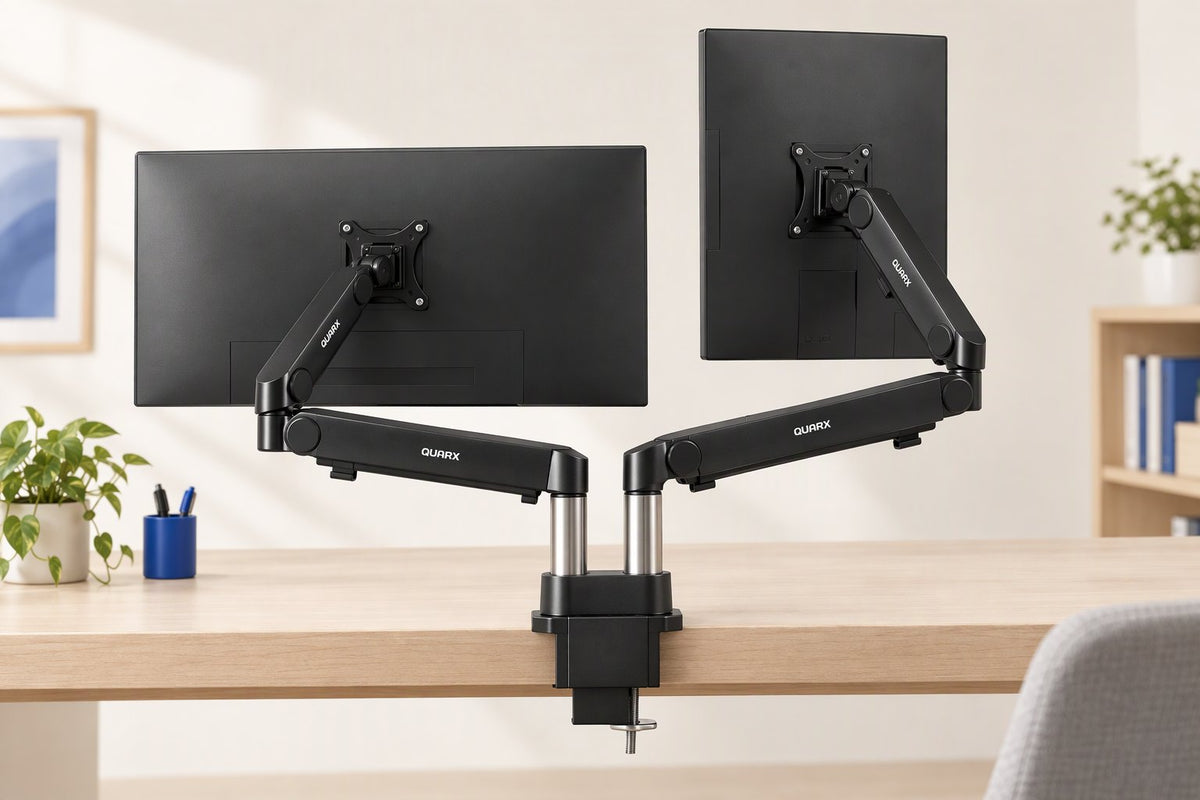
Dual monitor mount
Two screens. One clear desk.
The QUARX dual arm lifts both monitors off your desk and holds each one exactly where you set it. It fits two flat or curved screens from 17 to 35 inches, with up to 26.4 lbs per screen.
- Space-savingMounts at the desk edge so both monitors float above the surface and free up desk space.
- Flat or curvedHolds flat and curved monitors, including ultrawides up to 35 inches.
Full motion
Put every screen exactly where you want it.
Each arm moves on its own, so you can build the layout your work calls for, then change it in seconds.
Layouts you can build
Built to hold
All-metal construction that stays put.
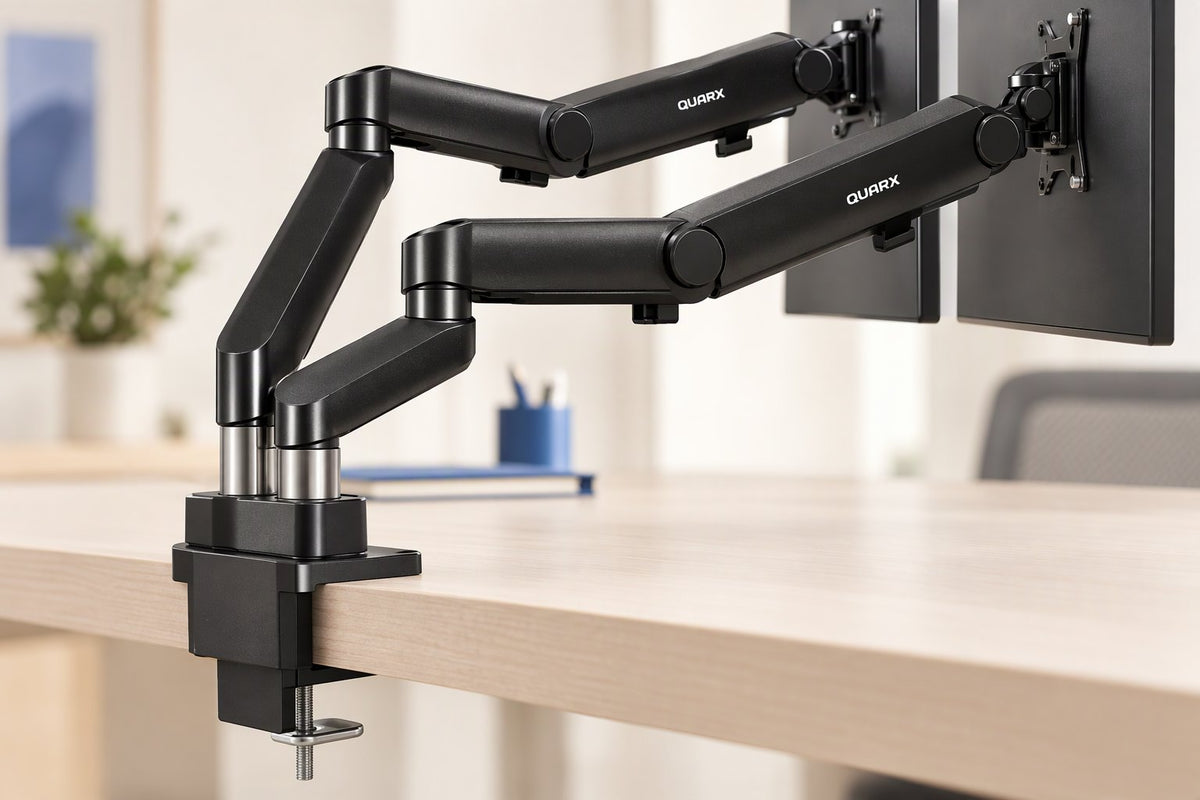
Alloy steel and aluminum throughout, anchored by a 6-inch base that grips the desk edge, so heavy screens stay steady while you work.
- Alloy steel and aluminumMetal construction throughout for a mount that holds up under heavy screens.
- Spring-assisted armsMechanical spring arms move smoothly and hold the position you set.
- Two ways to mountC-clamp or grommet base for desktops 0.39″ to 2″ thick, including wood, plastic, metal and glass.
Before you order
Check the fit in four numbers.
Confirm your monitors and your desk match these figures, and you are set. Check each monitor's weight without its stand and its VESA pattern before ordering.
- Screen size: 17 to 35 inches, flat or curved
- Weight: 4.4 to 26.4 lbs per screen
- Mounting pattern: VESA 75×75 mm or 100×100 mm
- Desk thickness: 0.39 to 2 inches, C-clamp or grommet mount
Everyday ease
Tidy cables, simple adjustment.
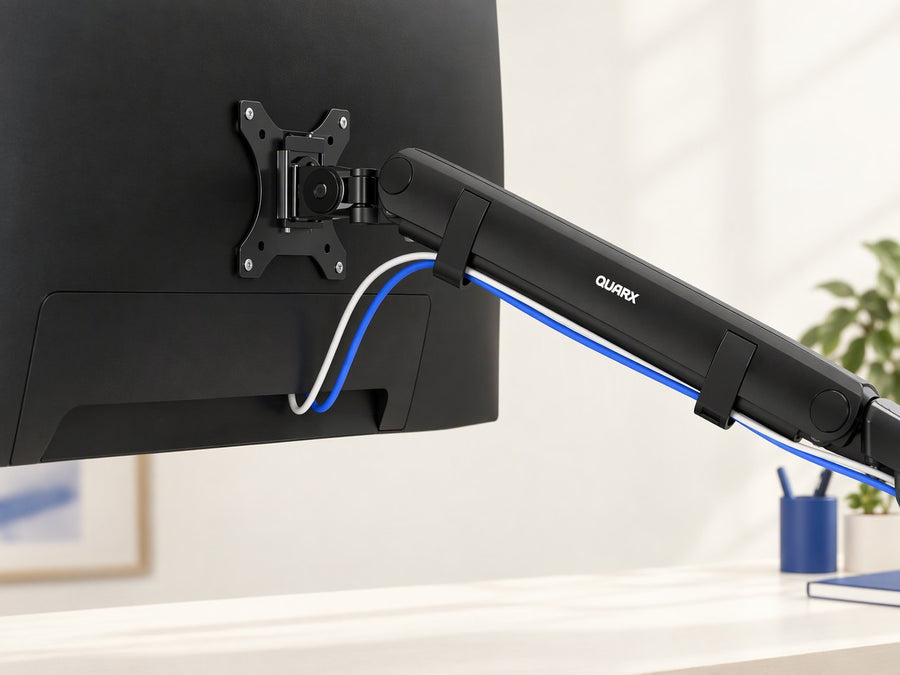
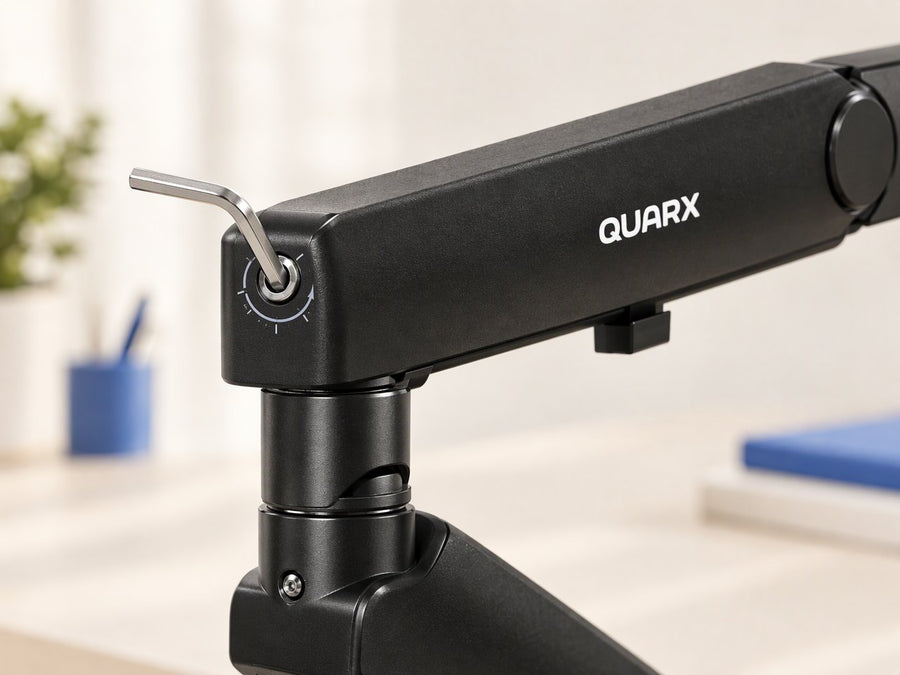
Route monitor cables along the arms and fine-tune each arm's spring tension with the included tools.
< 10 min
Set up in under 10 minutesA step-by-step guide, tools and all mounting hardware are included.In the box
Everything you need to get set up.
Tools and hardware for both mounting options come with the mount, along with a step-by-step installation guide.
- Dual-arm monitor mount with base and two poles
- VESA mounting plates for both arms
- C-clamp and grommet mounting hardware
- Hex keys, screws, bolts and washers
- Hook-and-loop cable straps
- Step-by-step installation guide
Made for
Common questions
Answers before you order.
Will it hold my curved or ultrawide monitors?
Yes. Each arm holds one flat or curved screen from 17 to 35 inches, up to 26.4 lbs, with a VESA 75×75 mm or 100×100 mm pattern. Check your monitor's weight without its stand before you order.
How do I stop a heavy monitor from sinking?
Each arm's spring tension is adjustable with the included hex key. Set the monitor where you want it, then tighten the tension a little at a time until it stays put. Heavier screens need more tension, so allow some time to fine-tune the first setup.
How high can the screens go?
The arms rise to a maximum height of 18.1 inches and extend 21.7 inches forward. One buyer who wanted screens higher found the maximum too low, so compare that figure with your seated eye level before ordering.
Can I use it with a desk that sits against a wall?
It can work, but leave some room behind the desk. With a wall right behind it, the screens may have to sit closer to you, or farther apart, than you want to keep them side by side.
Which desks does it fit?
Desktops 0.39 to 2 inches thick, including wood, plastic, metal and glass. Use the C-clamp for a no-drill setup, or the grommet base if your desk has a hole. On a delicate finish, add a thin protective pad under the clamp.
Does it include cable management?
Yes. Cable clips and channels along the arms hold both monitors' cables out of sight. Slide the plastic cable covers on and off gently.
Can I rotate a screen to portrait or swivel it?
Yes. Each arm swivels 180°, tilts ±45° and rotates 360°, so either screen can run in landscape or portrait.
How long does setup take?
It is designed to set up in under 10 minutes using the step-by-step guide, with the tools and hardware included. Give a first install a little extra time and follow the guide's order for the base and arm assembly.